Throw Food For Spooky Animals Admin Abuse Event Guide
Sunday Nov 29, 2026 at 2:00 PM listing—prep your plot, survive 5-player chaos, re-check the game after.
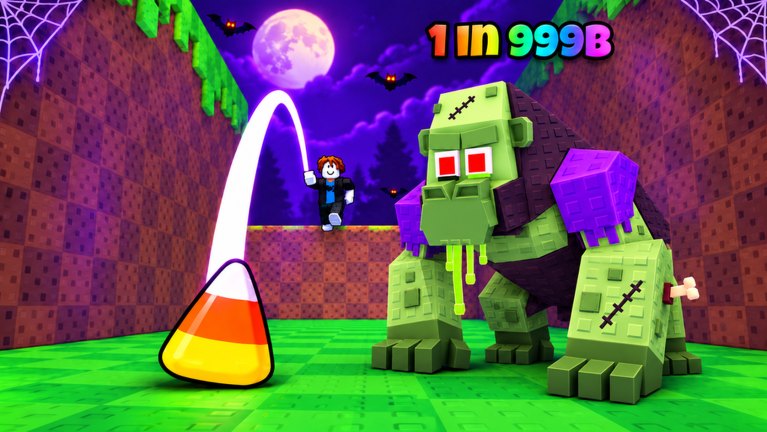
Admin abuse nights are when developers of Throw Food For Spooky Animals (and similar Simulation / Tycoon experiences) jump into live servers to cause controlled chaos—spawns, silly modifiers, temporary generosity, or just memorable mayhem. This page tracks the listed Roblox event for the spooky place and tells you how to prepare without inventing reward tables the developers never published.
Always confirm the live banner on the official experience page before you rearrange your schedule. Listings can move.
Listed time (confirm live)
Current listing reflected on this wiki: Sunday, November 29, 2026 at 2:00 PM (as shown on the experience Events list at documentation time).
Previous listing confusion: some earlier wiki notes and community copies said Saturday, November 28 at 3:00 PM. Roblox’s experience Events list later showed Sunday, November 29 at 2:00 PM. If those disagree when you read this, trust the live Roblox page, then tell a friend—stale Discord screenshots cause empty lobbies.
Timezone: Roblox event clocks follow the display on your client/page. Double-check AM/PM and your local conversion so you do not show up an hour late to a five-player riot.
What admin abuse usually means in this genre
In throw-food / animal-collect tycoons, admin abuse commonly includes some mix of:
- Developer-driven chaos spawns or exaggerated animal interest.
- Temporary economy or throw feel weirdness that may not survive the next morning.
- Unstable timing for perfect throws and pull-up training.
- Crowded social energy on already tiny 5-player servers.
What it usually does not guarantee:
- Permanent free max food.
- A published loot table you can theorycraft tonight.
- Codes that suddenly appear mid-event (Spooky still had no confirmed codes as of late November 2026—see Codes).
This wiki will not invent specific rewards. If something drops, evaluate it with the live income UI and shop prices after the dust settles.
Prep checklist (do these before 2:00 PM)
- Confirm the Events listing on Roblox one more time.
- Clear weak plot slots so any event luck has room—role hygiene on the Tier List.
- Keep cash liquid. Do not dump your entire bank into a speculative food tier five minutes before chaos (Money Guide, Food Guide).
- Finish a short Throw Power set beforehand if you were mid-grind; event lag makes training miserable (Throw Power).
- Warm up meter timing with cheap food only (Perfect Throw, Controls).
- Avoid risky scripts on a main account during peak chaos (Scripts). Executors plus unstable servers is a bad mashup.
- Read Players for contested-lane etiquette—five people and an admin is louder than a normal session.
- Bookmark Updates so you know where post-event notes will land.
During the event — 5-player chaos tips
- Prefer observation throws for the first few minutes. Learn what the admin is actually doing before you spend premium food.
- Expect rubber-banding. Recalibrate your release window; do not blame the shop for lag.
- Contest rares only when you can convert them (How to Catch). Spectating a failed pile-up wastes snacks.
- Rotate pull-up stands courteously if people still train mid-event.
- If the server feels broken, rejoin before you burn a whole food budget “testing.”
- Chat rumors about permanent buffs are rumors until the UI still shows them tomorrow.
After the event — re-check list
Admin abuse generosity often evaporates. Before you trust yesterday’s plan:
- Open animal income UI on your plot—did payouts shift, or only the party?
- Open the food shop—prices and tiers still match your memory?
- Fire calibration throws—does distance still match your Throw Power expectation?
- Skim whether any redeem UI / codes appeared (unlikely, but check Codes).
- Assume public scripts may have broken (Scripts).
- Return to Guides pages that match what feels different: Areas, Food, Throw Power, Perfect Throw, Money.
- Update your own notes; do not paste inspiration-game event leftovers as Spooky facts (Vs Throw Food for Animals).
How this ties to the rest of the wiki
| Need | Page |
|---|---|
| Launch timeline & patch mindset | Updates Hub |
| Contested servers & etiquette | Players Hub |
| Meter / lane inputs | Controls |
| Distance & timing under lag | Throw Power, Perfect Throw |
| Economy after chaos | Money Guide, Tier List |
| Automation risk | Scripts |
| “Is this the other throw-food game?” | Vs comparison |
Mindset
Show up curious, leave flexible. Admin abuse is entertainment layered on a progression game—not a promised pay-day spreadsheet. Confirm Sunday, November 29, 2026 at 2:00 PM on Roblox, prep the checklist, survive the five-player circus, then re-verify income and food UI before you rebuild your whole strategy.
If the Events list moves again, this page’s job is the same: point you at the live banner, not at a frozen screenshot.
Frequently Asked Questions
Quick answers to the most common questions.
When is the Throw Food For Spooky Animals admin abuse event?
The experience Events list showed Sunday, November 29, 2026 at 2:00 PM at documentation time. Always re-confirm on the live Roblox page.
Why did some notes say Saturday November 28 at 3:00 PM?
Earlier listing copies used Sat Nov 28, 3:00 PM. Roblox later showed Sun Nov 29, 2:00 PM. Trust the current Events banner over old wiki drafts.
What rewards do you get from admin abuse?
This wiki does not invent reward tables. Expect temporary chaos; verify any lasting income or shop changes in the live UI afterward.
Should I run scripts during admin abuse?
Strongly discouraged on accounts you care about. Unstable servers plus executors raise risk—see the Scripts Hub.
What should I do after the event ends?
Re-check plot income UI, food prices, throw distance, and codes status, then adjust using Guides and the Tier List.